Now live for agents and brokers
Turn walkthrough voice notes into MLS-ready listings in seconds
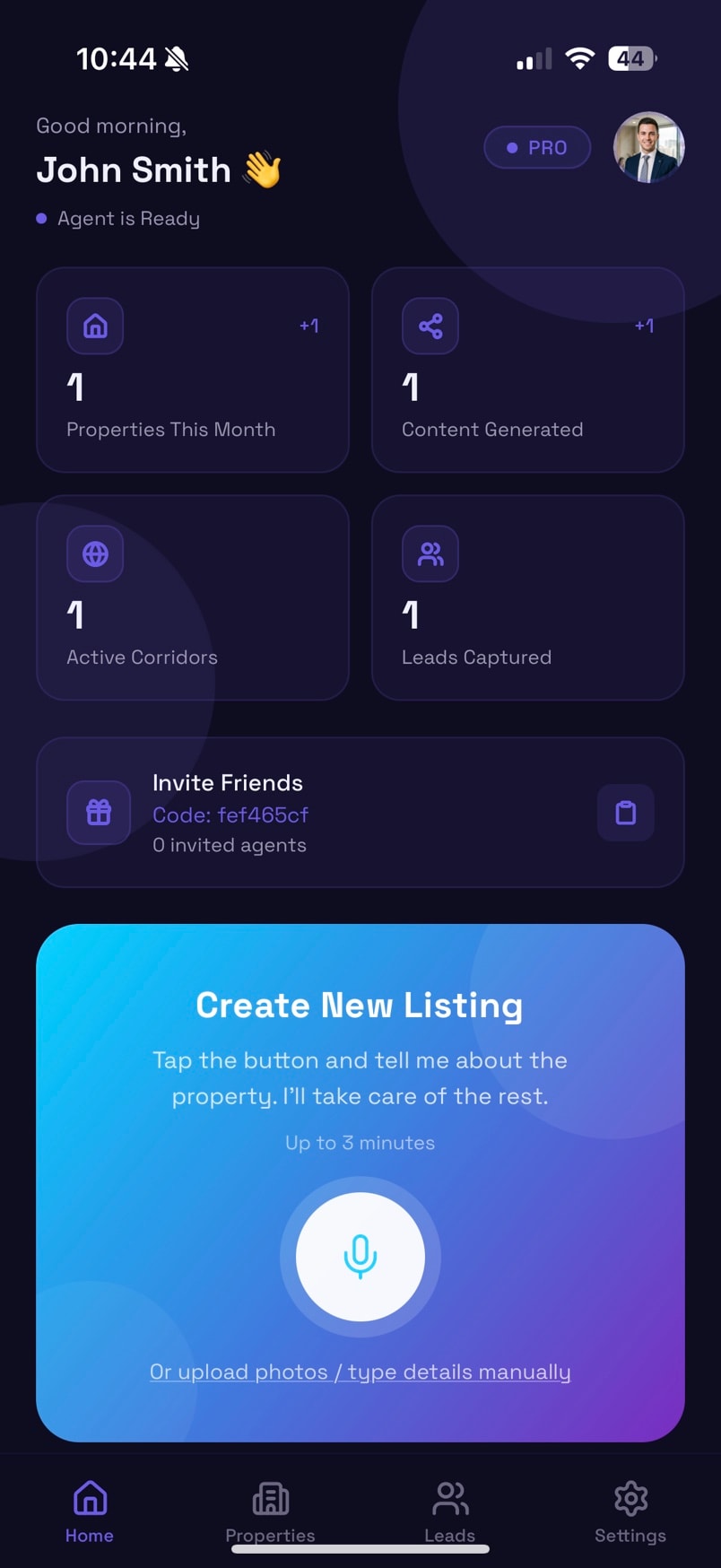
Remuz is the AI real estate listing generator built for agents, brokers, and property teams. Talk through the property as you tour it, and get a polished description for the MLS, portals, and social media, ready to review and publish.
- Free plan available
- No credit card required
How it works
From walkthrough to published listing in four steps
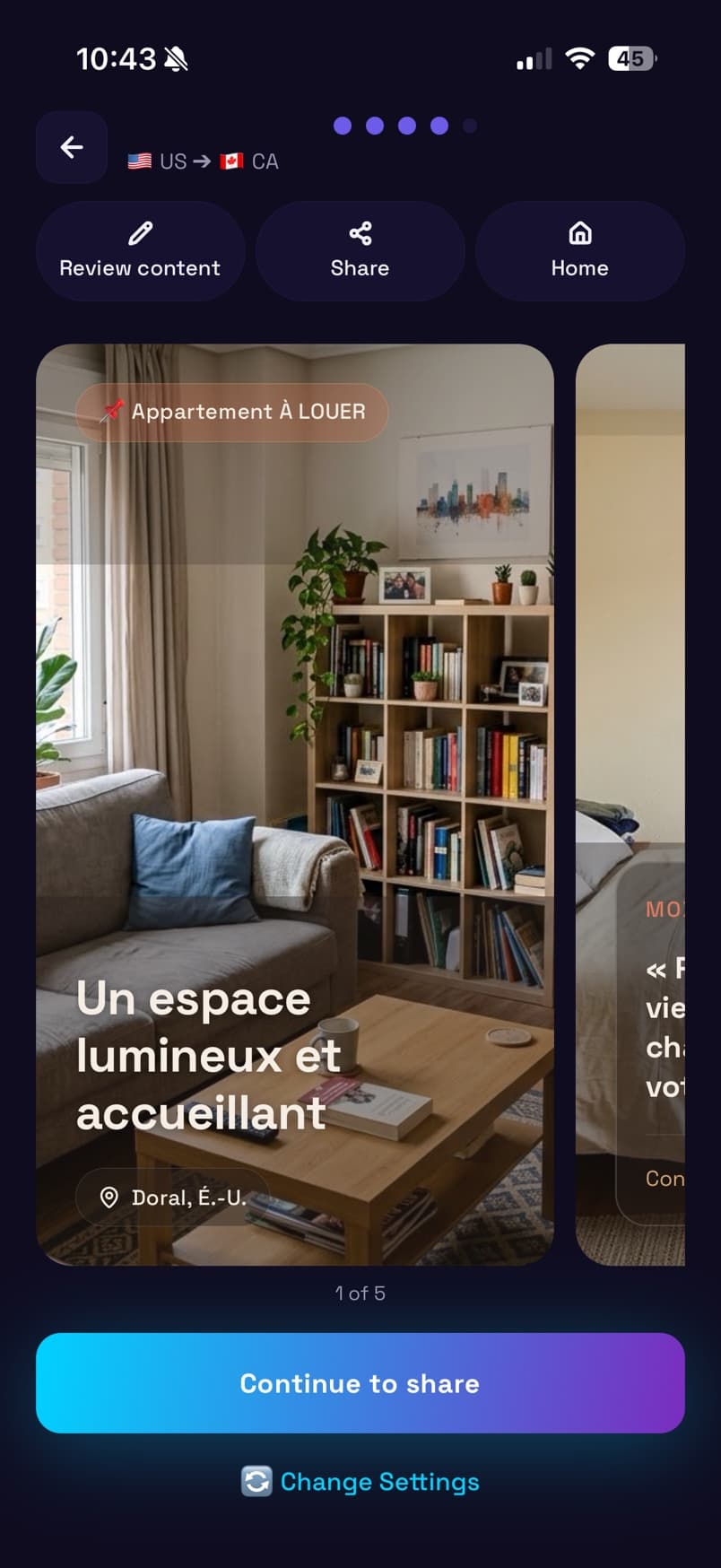
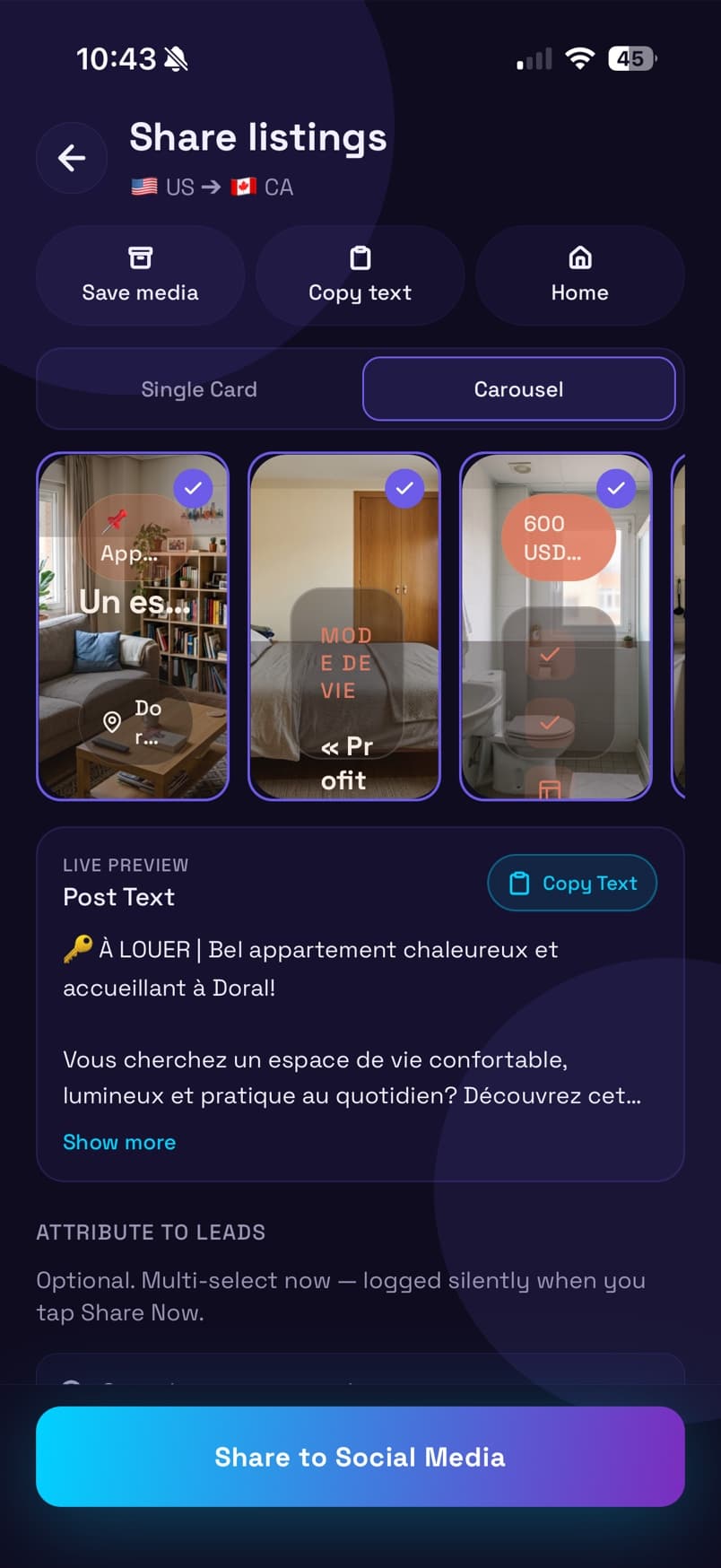
Your property walkthrough becomes an AI draft and ready-to-post marketing in one flow: talk, target, generate, share. No prompts, no blank MLS form.
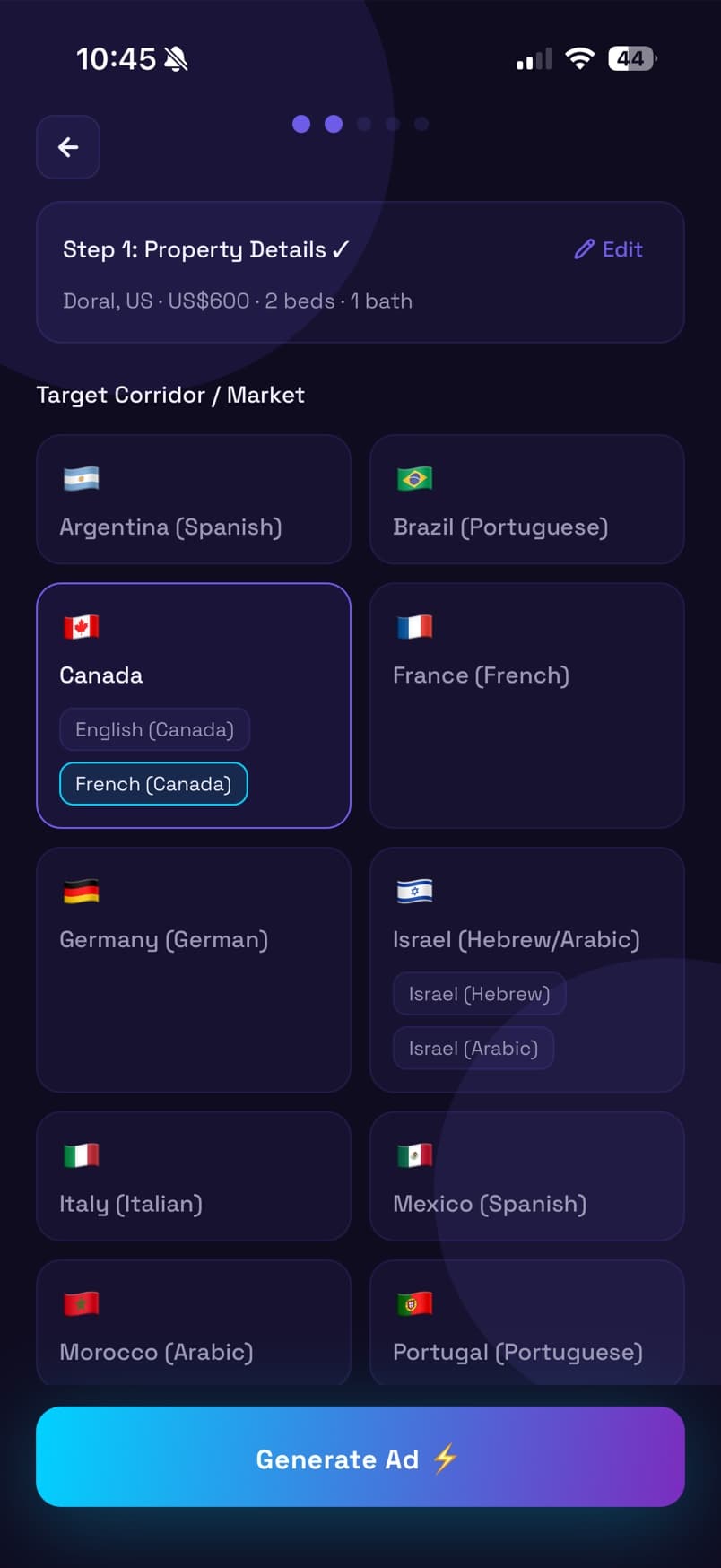
Step 1
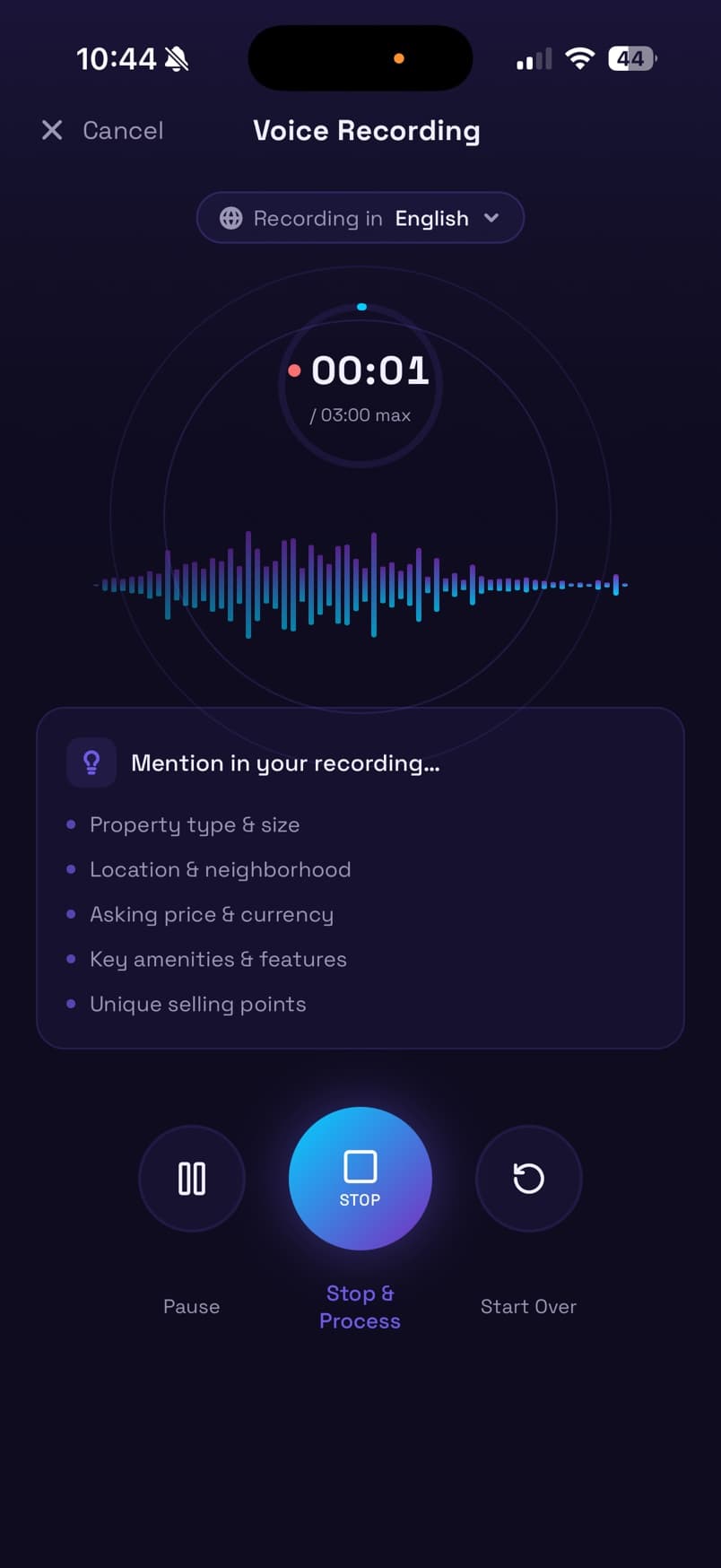
Record your walkthrough
Tap the mic and talk through the property for up to three minutes: type, location, price, amenities, and what makes it special. Remuz reminds you what to mention.
Why agents switch
Stop typing listings. Start talking them.
The listing is due while you're still in the car, and your notes are scattered across voice memos, texts, and scraps of paper. Remuz turns that moment into a finished draft.
Done before you leave the driveway
Go from voice notes to MLS description while the details are fresh, instead of rebuilding them from memory that night.
Talk the way you already tour
No prompts to write and no forms to fill. Speak naturally; Remuz handles the structure, flow, and word choice.
Copy that sells, not just describes
Drafts lead with the features buyers care about and read like an experienced listing writer, not a spec sheet.
You approve every word
Remuz writes the draft; you stay the expert. Edit facts, tone, and required remarks before anything goes live.
One standard for your whole team
Brokers and property management teams get consistent, polished listings no matter who ran the showing.
Every property type, covered
Condos, single-family homes, and rentals, from HOA amenities and finishes to lease terms and availability.
FAQ
Questions agents ask before their first AI listing
Weighing an AI real estate listing generator against writing copy by hand? Here's how Remuz fits a real listing workflow.
How does Remuz turn voice notes into an MLS description?
Record yourself during or right after a property walkthrough. Remuz transcribes your spoken notes and drafts a polished listing description from them. You review the draft, correct anything, and paste it into your MLS or portal.
How do I get started with Remuz?
Download Remuz from the App Store or Google Play. Create your account and record your first walkthrough; your first AI draft is ready in seconds. Start on the free plan, no credit card required.
Who is Remuz for: agents, brokers, or property management teams?
Remuz is for real estate professionals who write property descriptions: listing agents, brokers, and property management teams that need consistent copy after every tour. If your day includes showings and then sitting down to write, it's built for you.
Can I edit the listing before it goes to the MLS or portals?
Yes. Remuz produces a draft, not a locked file. You edit facts, tone, and required fields before anything is published. Nothing reaches the MLS until you paste or upload it yourself.
Does Remuz work for condos, single-family homes, and rental listings?
Yes. The same voice-to-listing flow covers common residential types: condos, single-family homes, and rentals. You still confirm local rules and required disclosures in your market.
How is Remuz different from a voice memo or a general AI chat tool?
A voice memo leaves you with raw notes. A general chat tool needs a long prompt and doesn't know your listing workflow. Remuz goes straight from spoken property details to listing copy you can edit, without rebuilding that process every time.
Your next listing is one walkthrough away
Record your next showing and have a polished, MLS-ready description before you're back in the car.
- Free plan available
- No credit card required